

IYPS: Are your hand rubbed passwords actually safe?
Platform: Android
Keywords: password management, password security
Read the rest of this post »
Published by YooCare Editor on January 2, 2024 2:52 am and last modified on April 11, 2024 3:14 am.
MacRemover has been our editor’s choice for the must-have app removal utility for Mac users to completely uninstall Mac apps and clean up leftovers for the past 10 years when we purchased the first MacRemover lifetime license. It is a Mac-only application known for its intuitive interface, powerful app removal capabilities, thorough leftover cleaner, compatibility, high performance and affordable one-time fee pricing model that allows you to continuously receive free updates, free upgrades and free technical support for the licensed device for life. MacRemover prides itself on a clean and minimalist interface that prioritizes app removal efficiency and ease of use.
Published by YooCare Editor on January 2, 2024 12:01 am and last modified on April 21, 2024 10:03 am.

ReLens: The Professional iPhoneography App with a More Lifestyle Approach
Platform: iOS/iPadOS/Android
Keywords: mobile photography, retouching
Read the rest of this post »
Published by YooCare Editor on January 1, 2024 2:52 am and last modified on April 11, 2024 3:06 am.
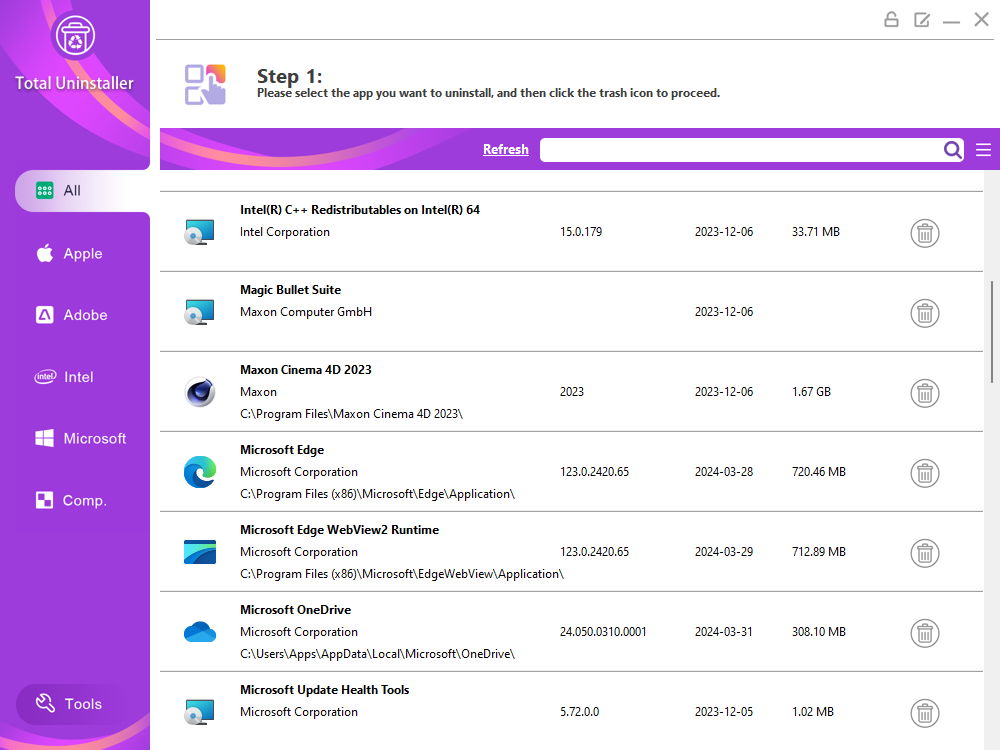
Nowadays, almost everyone should use app removal utilities to uninstall unwanted apps and clean up the leftovers. It’s the most essential thing-alongside with cleanup tool like shortcut cleaner- you can do to keep your PC in a sound status. Our editors have evaluated dozens of paid and free Windows uninstallers, and we’ve concluded Total Uninstaller 2024 offers the best combination of features, up-to-date removal capability, thorough leftover cleaner, affordable cost and ease of use. It is recommended to use a solid paid Windows uninstaller, compared to free software that is not really free and in most cases is created to collect your privacy data. For the moment, Total Uninstaller is offering lifetime license for only. Click here to get this lifetime deal.
Read the rest of this post »
Published by YooCare Editor on January 1, 2024 1:17 am and last modified on April 11, 2024 3:29 am.
ChatGPT is very hot these days. If you’ve been browsing social media, you’ve probably been overwhelmed by all the news. Everyone from the bigwigs to the average Joe has shown a lot of interest in the topic, and I’ve even received 3 notices for ChatGPT-themed academic seminars. There are natural benefits to being involved in this topic, such as easier access to traffic – and to be blunt, I’m one of the beneficiaries of the ChatGPT boom. Never before have I received so much traffic for a post or answer.
Read the rest of this post »
Published by YooCare Editor on February 17, 2023 1:21 am and last modified on April 10, 2024 7:51 am.
Welcome to this edition of AppWatch. We will regularly post latest apps and updates on this new column.
Read the rest of this post »
Published by YooCare Editor on February 16, 2023 4:01 am and last modified on April 10, 2024 7:51 am.
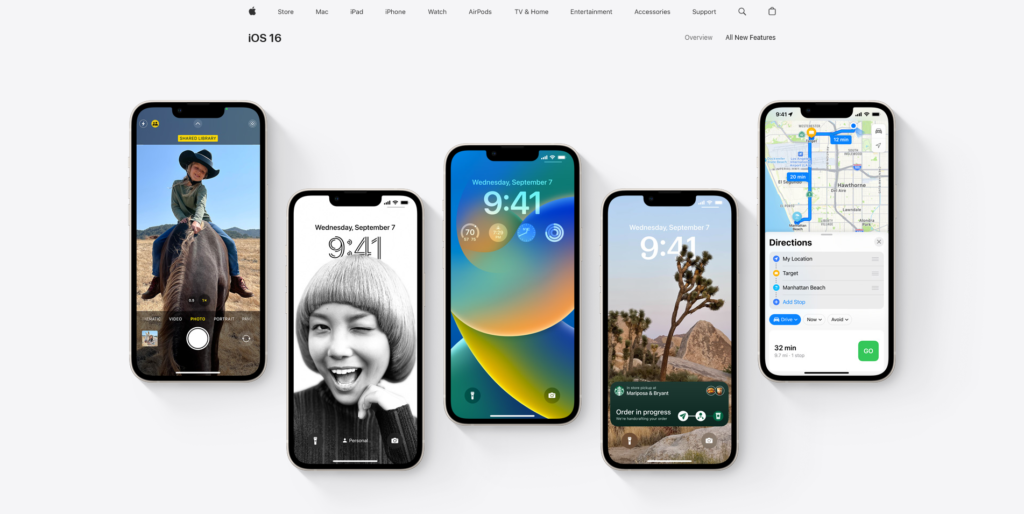
iOS 16.3.1, macOS 13.2.1 and Other Updates Released
On February 14, Apple released iOS 16.3.1, iPadOS 16.3.1, watchOS 9.3.1, and macOS 13.2.1. This release fixes the WebKit vulnerability that was previously used by hackers, and again fixes the collision detection feature. Google Photos is known to crash under this release, possibly due to the way Google Photos accesses images. tvOS 16.3.2 was released at the same time. homePod 16.3.2 mainly fixes issues with Siri smart home requests.
Read the rest of this post »
Published by YooCare Editor on February 14, 2023 1:52 pm and last modified on April 10, 2024 7:51 am.

Jony Ive Designed the Emblem for the Coronation of the King of England
The British royal family recently unveiled the design of the crest for the coronation of King Charles III, which will take place in May. According to the royal website, the badge was created by Apple’s former chief design officer Jony Ive and the team at his design firm LoveFrom. The design pays homage to Charles III’s love of the natural world, incorporating plants representative of the four constituent countries of the United Kingdom, which together form the shape of the crown, with a color palette derived from the British flag, Jony Ive said. The shape is taken from nature, gentle and modest, and together they pay tribute to the joy and meaning of the coronation occasion.
Published by YooCare Editor on February 13, 2023 8:25 am and last modified on April 10, 2024 7:51 am.
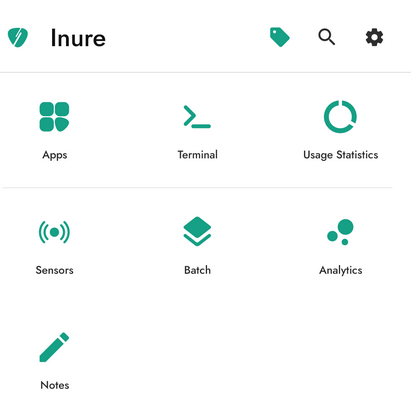
Android users must have one type of app in their devices, which is the app manager, so we can easily check the API level, app structure, and even directly control the broadcaster, permission settings, etc. The more well-known app managers are Skit, LibChecker, etc. They are all familiar products and relatively complete. Inure doesn’t intend to compete with them head-on in terms of functionality, but rather to take the spotlight on the silky smooth operating experience.
Read the rest of this post »
Published by YooCare Editor on February 9, 2023 8:41 am and last modified on April 10, 2024 7:51 am.

Canon Announces New EOS Cameras and Lenses
On February 8, Canon introduced the EOS R8 and R50 cameras and the RF24-50mm F4.5-6.3 IS STM and RF-S55-210mm F5-7.1 IS STM lenses. The EOS R8 is an all-round full-frame camera with a 24.2 megapixel full-frame sensor and DIGIC X image processor that can shoot up to 30 frames per second in a RAW burst and automatically recognize people, animals, race cars, airplanes, etc. The EOS R8 can shoot movies at 6K oversampling to 4K 60 fps and at 1080p resolution at frame rates up to 180 fps. The EOS R50 is a lightweight APS-C format camera with 24.2 million effective pixels and the same DIGIC X image processor. It features A+ mode optimization, automatic filter recommendation, automatic subject recognition, and up to 4K 30 fps shooting.
Read the rest of this post »
Published by YooCare Editor on February 9, 2023 7:14 am and last modified on April 10, 2024 7:52 am.




