
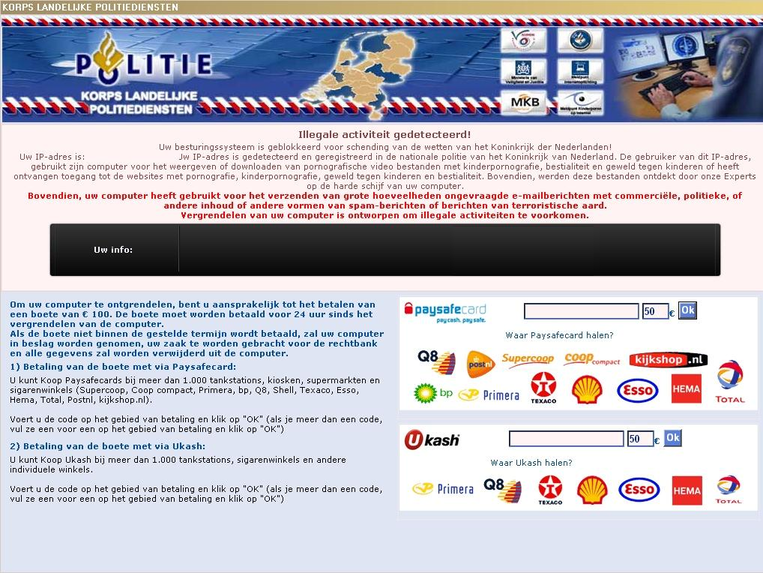
Did you receive a warning from your computer saying your operating system is blocked due to violation of the laws of Netherlands? (Uw besturingssysteem is geblokkeerd voor schending van de wetten van het Koninkrijk der Nederlanden!) Don’t be taken in this scam. This ransomware should be removed as soon as possible. Learn more from this post to unlock your computer now.
Politie Korps Landelijke Politiediensten virus is a fake alert that disguises as an official notice from a law enforcement agency to trick innocent users. Once it sneaks into the target computer, it will block your access to Windows and lock the desktop, making it unusable. It aims to scare users into paying for a ransom so as to steal their personal financial information. Don’t be fooled by it.To further achieve its goal, this tricky ransomware detects the IP address, claiming users use that computer to view or download pornographic video files containing child pornography which against the law of Netherlands government. Then it locks the compromised computer and scares users, asking them to pay a fine of € 100 within 24 hours. Otherwise, your computer will be confiscated and your case will be sent to the court as well. However, all of these are not real. Users should ignore this warning and take measure to remove this virus as soon as possible.
It will take control of your computer rapidly once it is downloaded.
It will pretend as a legit warning and ask for a ransom like Homeland Security virus does.
It can connect to a remote IRC server and forward the data to cybercriminals without a computer user’s awareness.
It can’t be simply uninstalled or removed in control panel.
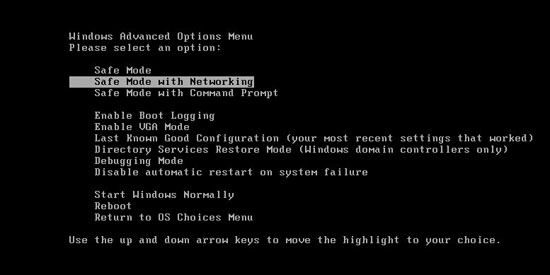
1. Reboot your computer to safe mode with networking. As your computer restarts but before Windows launches, tap “F8” key constantly.
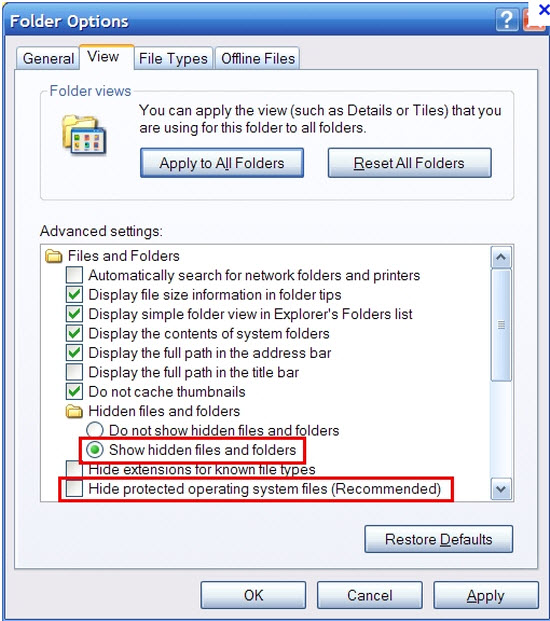
2. Show hidden files and folders.
Open Folder Options by clicking the Start button, clicking Control Panel, clicking Appearance and Personalization, and then clicking Folder Options.
Click the View tab.
Under Advanced settings, click Show hidden files and folders, uncheck Hide protected operating system files (Recommended) and then click OK.
3. Open Registry entries. Find out the malicious files and entries and then delete all.
Attention: Always be sure to back up your PC before making any changes.
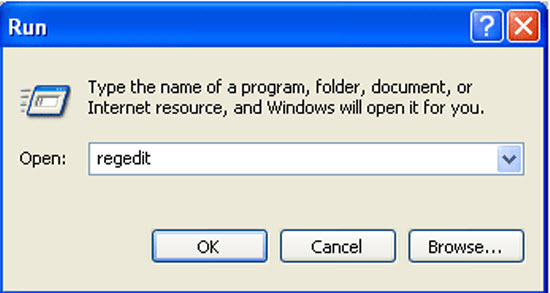
a. Press the “Start” button and then choose the option “Run”. In the “Open” field, type “regedit” and click the “OK” button.
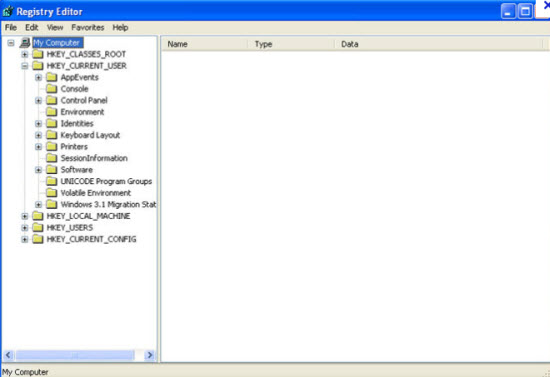
b. All malicious files and registry entries that should be deleted:
%AllUsersProfile%\Application Data\.exe
%UserProfile%\Desktop\Politie Korps Landelijke Politiediensten.lnk
HKEY_CURRENT_USER\Software\Microsoft\Windows\CurrentVersion\Policies\System “DisableTaskMgr” = ’1?
HKEY_LOCAL_MACHINE\SOFTWARE\Microsoft\Windows\CurrentVersion\policies\system “DisableTaskMgr” = ’1?
HKEY_CURRENT_USER\Software\Microsoft\Internet Explorer\Download “CheckExeSignatures” = ‘no’
HKEY_CURRENT_USER\Software\Microsoft\Internet Explorer\Main “Use FormSuggest” = ‘yes’
HKEY_CURRENT_USER\Software\Microsoft\Windows\CurrentVersion\Explorer\Advanced “Hidden” = ’0?
HKEY_CURRENT_USER\Software\Microsoft\Windows\CurrentVersion\Explorer\Advanced
Special tips: Spending a lot of time removing this Politie Korps Landelijke Politiediensten ransomware but still with no luck? Live chat with YooCare experts now to unlock your computer and remove the virus safely and completely.
Published by on June 23, 2012 5:17 am, last updated on May 28, 2013 11:36 am





Leave a Reply
You must be logged in to post a comment.